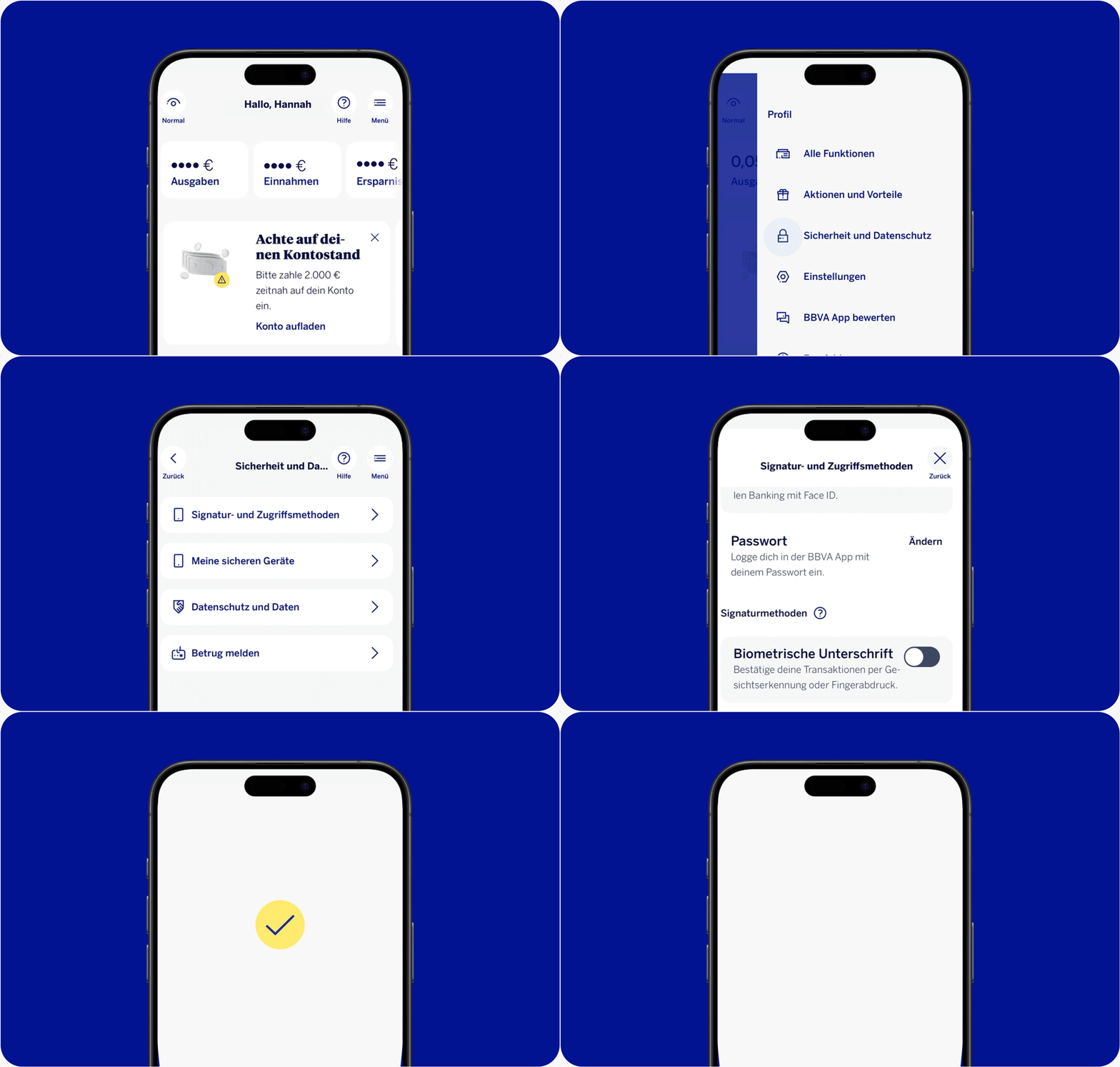
BBVA options for you to approve transactions
Activate secure approval
Activate new options for you to approve transactions directly in the BBVA App on your smartphone.
Please note that you can only activate these directly in the BBVA App.
It's this simple:
- Open the BBVA App on your smartphone
- Gehe zu Menü -> Sicherheit und Datenschutz -> Signatur- und Zugriffsmethoden
- Activate your new way to approve a transaction